
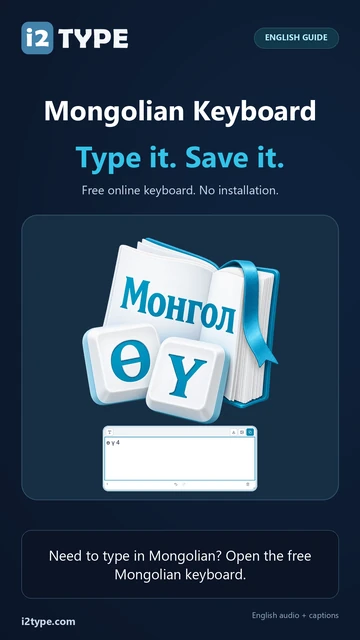
Try this keyboard: Mongolian Keyboard
Prepare a separate practice line
Open the Mongolian keyboard. If a browser draft is already present, save it before using the trash button to start this exercise. Put the caret in the main editor and make sure Shift, Caps and Alt Gr are off. This gives the sample a predictable starting point.
Locate F for ө and O for ү. The small Latin hints identify physical positions rather than a Roman spelling system. The editor begins left to right; changing its direction later would not turn the stored Cyrillic text into another writing system.
Enter the three-character exercise
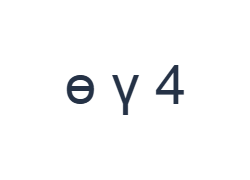
Use these positions in order: F for ө; then O for ү; then Shift + 4 for 4. Add one Space between each output. When using on-screen modifiers, switch them off before moving to a different layer. The resulting editor text is ө ү 4. It is a character exercise, not a word or a translation.
The final item comes from Shift with 4. Without Shift, that position inserts ₮ instead. This pair makes the upper-row behavior visible and is worth testing before entering dates, amounts or numbered lists. Turn Shift off after the digit.
Check the result before reusing it
Read the three separated outputs and confirm that the last is the digit 4, not the currency symbol. If the wrong item appears, replace it while checking the active modifier. The editor does not determine whether a symbol is appropriate for a number field.
For a real document, confirm the required script with the source or recipient before doing extensive typing. Copy and export preserve the entered Cyrillic characters. Neither the style dialog nor the download operation converts them into vertical Mongolian script.
Save the exercise as a PNG image
Open Text style from the font icon. Use Arial at 28 px, Automatic color, and Left to right direction. Turn bold, italic, underline and strikethrough off. These settings apply to the whole editor. A font changes appearance, not the stored characters; your device may use a fallback font for unsupported shapes. Choose Done to close the style dialog.
Choose Save image to save the complete exercise as a PNG, with centered lines and dark text on a white background. Open the file and compare it with the sample. For an editable alternative, choose Save Word (.docx) to create a real .docx, or use Copy text for plain text. These actions use all the editor text even when only part is selected.
i2type-mongolian.pngi2type-mongolian.docx
Tips for this layout
Plan the script first
A document that requires vertical Mongolian writing needs an appropriate input source. This page’s displayed keys provide Cyrillic text.
Check shifted numbers
The base number row includes symbols. Inspect labels when entering a date or amount instead of relying on the printed number on your physical key.
Common questions
Where are ө and ү?
They are on F and O respectively in the base layout. Shift supplies their displayed uppercase forms.
Why does 4 produce ₮ without Shift?
The base mapping uses that position for the currency symbol. Shift with the same position supplies the digit 4.
Can a font turn this into vertical Mongolian?
No. The editor contains Cyrillic characters. A different script requires different text, not merely a new font or paragraph direction.
Try the Mongolian exercise
Use the three-item test to confirm the Cyrillic letters and number layer before preparing your own Mongolian document.