Your words. Your way.
A familiar layout for the words you want to say. Reply to a message, write an email or share an idea in your own language, with 69 keyboards ready whenever you need them.
Write in the language that feels like home. Choose from 69 keyboard layouts and start typing, right in your browser.
A familiar layout for every conversation. Choose your language and make yourself heard.
Showing 9 of 69 keyboards
Type Afrikaans with a free on-screen keyboard.
Type Albanian with a free on-screen keyboard.
Type Arabic with a free on-screen keyboard.
Type Armenian with a free on-screen keyboard.
Type Assamese with a free on-screen keyboard.
Type Basque with a free on-screen keyboard.
Type Belarusian with a free on-screen keyboard.
Type Bengali with a free on-screen keyboard.
Type Bosnian with a free on-screen keyboard.
Type Bulgarian with a free on-screen keyboard.
Type Chinese using Cangjie character codes.
Type Chinese using Cantonese and Jyutping input.
Type Catalan with a free on-screen keyboard.
Type Cornish with a free on-screen keyboard.
Type Croatian with a free on-screen keyboard.
Type Czech with a free on-screen keyboard.
Type Danish with a free on-screen keyboard.
Type Dutch with a free on-screen keyboard.
Type English with a free on-screen keyboard.
Type Estonian with a free on-screen keyboard.
Type Farsi with a free on-screen keyboard.
Type Finnish with a free on-screen keyboard.
Type French with a free on-screen keyboard.
Type Galician with a free on-screen keyboard.
Type Georgian with a free on-screen keyboard.
Type German with a free on-screen keyboard.
Type Greek with a free on-screen keyboard.
Type Gujarati with a free on-screen keyboard.
Type Hebrew with a free on-screen keyboard.
Type Hungarian with a free on-screen keyboard.
Type Hindi with a free on-screen keyboard.
Type Hiragana with a free on-screen keyboard.
Type Icelandic with a free on-screen keyboard.
Type Italian with a free on-screen keyboard.
Type Kannada with a free on-screen keyboard.
Type Katakana with a free on-screen keyboard.
Type Kazakh with a free on-screen keyboard.
Type Konkani with a free on-screen keyboard.
Type Korean with a free on-screen keyboard.
Type Latvian with a free on-screen keyboard.
Type Lithuanian with a free on-screen keyboard.
Type Macedonian with a free on-screen keyboard.
Type Malayalam with a free on-screen keyboard.
Type Maltese with a free on-screen keyboard.
Type Marathi with a free on-screen keyboard.
Type Mongolian with a free on-screen keyboard.
Type Nepali with a free on-screen keyboard.
Type Norwegian with a free on-screen keyboard.
Type Chinese using Mandarin Pinyin.
Type Polish with a free on-screen keyboard.
Type Portuguese with a free on-screen keyboard.
Type Punjabi with a free on-screen keyboard.
Type Quechua with a free on-screen keyboard.
Type Romanian with a free on-screen keyboard.
Type Russian with a free on-screen keyboard.
Type Sanskrit with a free on-screen keyboard.
Type Serbian with a free on-screen keyboard.
Type Slovak with a free on-screen keyboard.
Type Spanish with a free on-screen keyboard.
Type Tamil with a free on-screen keyboard.
Type Tatar with a free on-screen keyboard.
Type Telugu with a free on-screen keyboard.
Type Thai with a free on-screen keyboard.
Type Turkish with a free on-screen keyboard.
Type Ukrainian with a free on-screen keyboard.
Type Urdu with a free on-screen keyboard.
Type Uzbek with a free on-screen keyboard.
Type Vietnamese with a free on-screen keyboard.
Type Chinese with Zhuyin (Bopomofo) symbols.
Try a language name, such as Arabic, Hindi or Chinese.
A familiar layout for the words you want to say. Reply to a message, write an email or share an idea in your own language, with 69 keyboards ready whenever you need them.
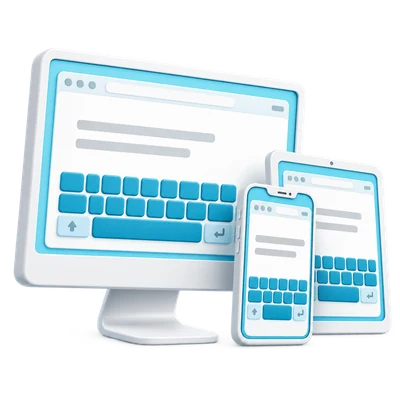
A quick reply on your phone or a longer thought at your desk. Open a familiar place to write on a computer, tablet or phone, with no installation or account to get in the way.
Turn a thought into a message, a note or something ready to share. Add your finishing touches, then copy your words, save a document or image, or take them into a web search.
Everything you need to write, in three simple steps.
Find your language or input method. Switch layouts whenever you need.
Use the on-screen keys or your physical keyboard, then format your text.
Copy your text, save a Word document or image, or open a web search.
Your typing and downloads are processed in your browser. Text goes to another service only when you choose a search or sharing action.
How we handle privacyQuick answers to help you feel at home with your keyboard.
Find your keyboardYes. You can use the keyboards, copy your text and download your work for free. You do not need an account.
No installation is needed. Open a keyboard in your browser, choose your language or input method and start typing.
Yes. Type with your physical keyboard, click the on-screen keys with a mouse or tap them on a phone or tablet. Tapping the on-screen keys lets you type without opening the phone keyboard.
i2Type offers 69 keyboard layouts, including Arabic, English, Hindi, Korean and several Chinese input methods. Search the keyboard collection by language or input method to find the layout you need.
When browser storage is available, your text follows you as you switch keyboard layouts in the same tab. Drafts are stored in your browser. Copy or download important text before clearing browser data.
Learn about browser drafts and privacyChoose Zhuyin (Bopomofo), Pinyin, Cantonese or Cangjie. Enter the symbols, romanized spelling or shape code for that input method, then select a character or word from the candidate choices to add it to your text.
Use Copy text to place your text on the clipboard, then paste it into another app or website. You can also save a Word document (.docx) or a PNG image using the download buttons above the editor.
i2Type helps you write using the keyboard layout you choose. It does not translate text between languages. Changing the keyboard changes the available keys while keeping the text you have already written.