
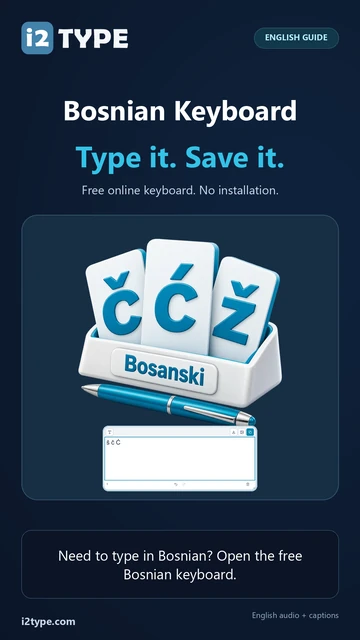
Try this keyboard: Bosnian Keyboard
Start with the displayed Bosnian layout
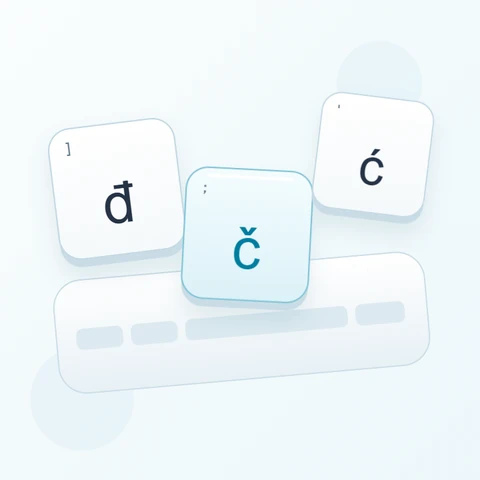
Locate š at left bracket, č at semicolon, and ć at quote. Shift changes the last position to Ć for this exercise. The surrounding letters use QWERTZ positions, so users of an English board should read the large labels before adding text from physical keys.
Open the Bosnian keyboard and save any existing draft you want to keep. Clear the editor for this exercise, then turn off Caps, Shift, and Alt Gr. Clicking the on-screen characters avoids relying on the printed labels of your physical keyboard.
Enter š č Ć one example at a time
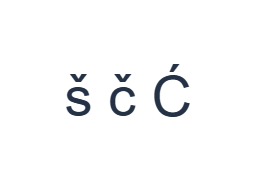
First, use the normal layer and click š at the [ position. Next, use the normal layer and click č at the ; position. Finally, use the Shift layer and click Ć at the ' position. Insert one Space between the examples. The finished practice row is š č Ć. These separated characters are an exercise, not a word or a translation.
For each example, enable only its stated modifier combination and check that the large key label matches the intended character. On-screen Shift and Alt Gr stay active until you toggle them off. Return to the normal layer after the final example; do not leave an extra modifier selected.
Review the characters before formatting
Compare the editor with š č Ć. If one item differs, select that item and click its correct key again. Undo and Redo can recover text edits during this page session. Keep one space between the examples so each character remains easy to inspect.
The third item should be Ć, with an acute accent, rather than Č. These are separate direct keys. For later work, be aware that the Shift mapping for đ currently produces Ð instead of Đ; choosing a font cannot correct that character substitution.
Set a clear style and download the practice row
Open Text style using the font button above the editor. Explicitly choose Arial, set the size to 28 px, choose Automatic color, and turn bold, italic, underline, and strikethrough off. Set direction to Left to right. These settings apply to the complete editor, even when a smaller passage is selected.
Choose Save image to download a PNG, then open it and compare its text with the editor. The image centers the text on a white background. Font appearance depends on fonts available on your device; a missing glyph can use a fallback. For text you can revise later, Save Word (.docx) creates an editable document instead. Both downloads include the whole editor.
i2type-bosnian.pngi2type-bosnian.docx
Tips for this layout
Check this uppercase mapping
The Shift key for đ currently emits Ð rather than Đ. Paste Đ or use native input for that exact capital.
Inspect capitals and symbols
Shift provides Š, Č, and Ć at matching positions. The preserved right-bracket Shift output is Ð, so check the exact capital. Alt Gr with E gives €, V gives @, and F or G gives brackets. Toggle the modifier off to resume normal letters.
Common questions
How can I avoid confusing č and ć?
Use their dedicated positions: semicolon for č and quote for ć. Shift supplies Č and Ć at those same positions. Inspect the accent on the large label before insertion and check the finished text before sharing.
Why does the capital on the đ key look wrong?
The preserved Shift mapping emits Ð. If your text requires Đ, paste that exact capital or use native input. The editor does not normalize or automatically replace the mapped character with another letter.
Will Copy keep the style shown in my image?
Copy sends the entire editor as plain text, so the receiving app supplies its appearance. Use PNG for a fixed visual result or Word for editable text with the selected font, size, color, and direction.
Try your own Bosnian text
Repeat the example, then replace it with the text you need. Review any unfamiliar characters before copying or downloading the finished version.